Why Preview Environments
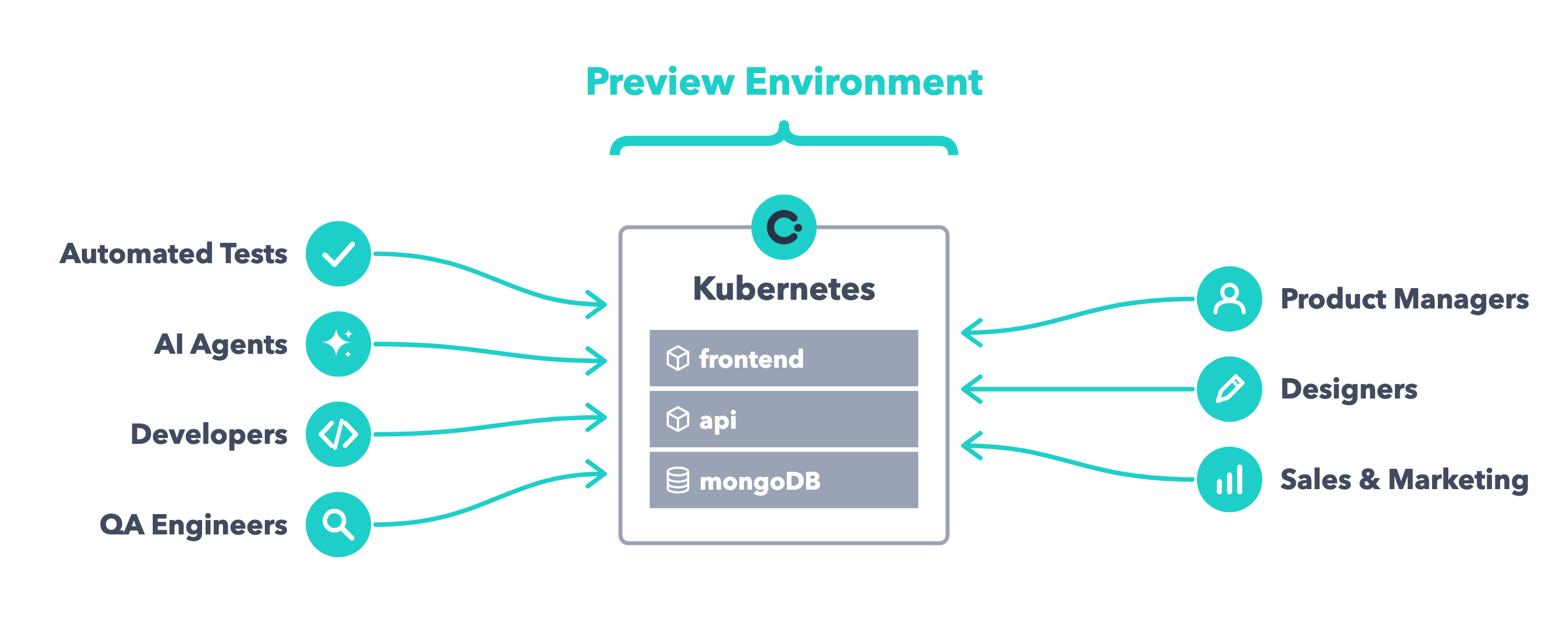
Preview Environments give every pull request in GitHub or merge request in GitLab its own environment, where your automated tests run and your team reviews the change before it merges.
No Configuration Drift from Development to Production
A common setup in many teams looks like this: developers run the application locally with tools like Docker Compose, Continuous Integration (CI) runs tests on a virtual machine with Docker, and production runs on Kubernetes. Each stage runs on a different platform with its own configuration. This configuration drift causes tests that pass locally but fail in CI, and bugs that never show up in development or CI but appear in production.

With Okteto, development, CI, and production all run on Kubernetes, which eliminates configuration drift from development to production, including CI. Developers run the Test Containers defined in the test section of the Okteto Manifest with okteto test against their Development Environment, and your pipeline runs the same Test Containers against the Preview Environment. Your tests are 100% reproducible between your machine and CI: no more tests that only fail in CI.

Hands-On Feedback from Your Whole Team
A Preview Environment is a live, shared version of each change. Automated tests, developers, AI agents, QA engineers, product managers, designers, sales, and marketing all interact with the same running application through one URL, with read-only access and nothing to set up. Instead of passing around screenshots or recordings, everyone tests the real change and gives feedback on the pull request or merge request before it merges.
Simpler CI Jobs Without Docker
A common way to run end-to-end tests in CI is to run the whole application inside the CI job: the job starts a Docker daemon, builds every image, starts the application with Docker Compose, and installs the test runtimes, browsers, and credentials your tests need.
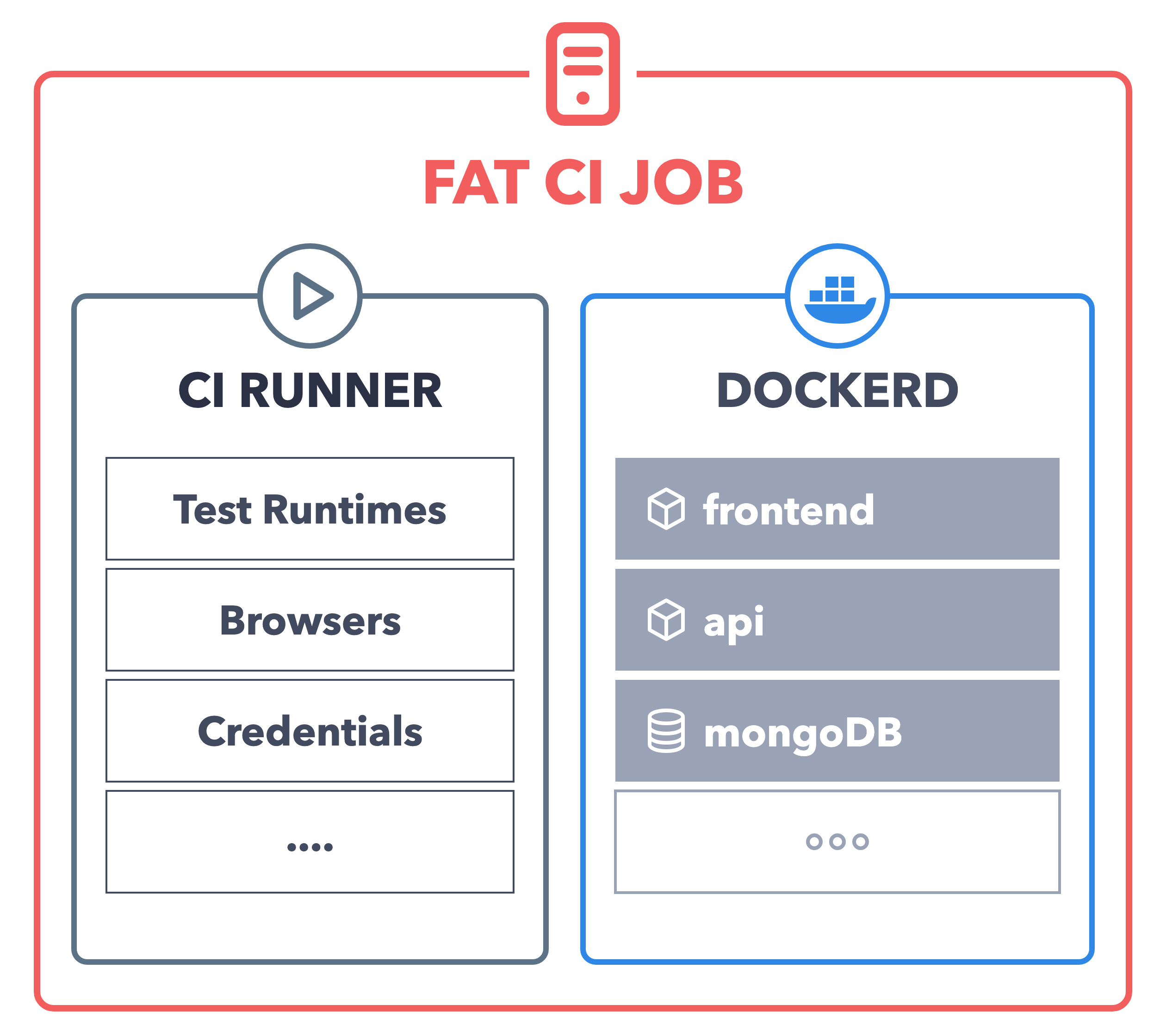
This approach makes CI jobs heavy. They need privileged runners or access to the Docker socket, a common security concern in CI. They rebuild images and reinstall dependencies on every run, and they run your application on a different platform than production.
With Okteto, CI jobs are light. The CI job only needs a Git checkout and the Okteto CLI, and all the complexity of your application is decoupled into Okteto: Okteto builds your images, deploys your application, and runs your Test Containers inside your Kubernetes cluster with Remote Execution.
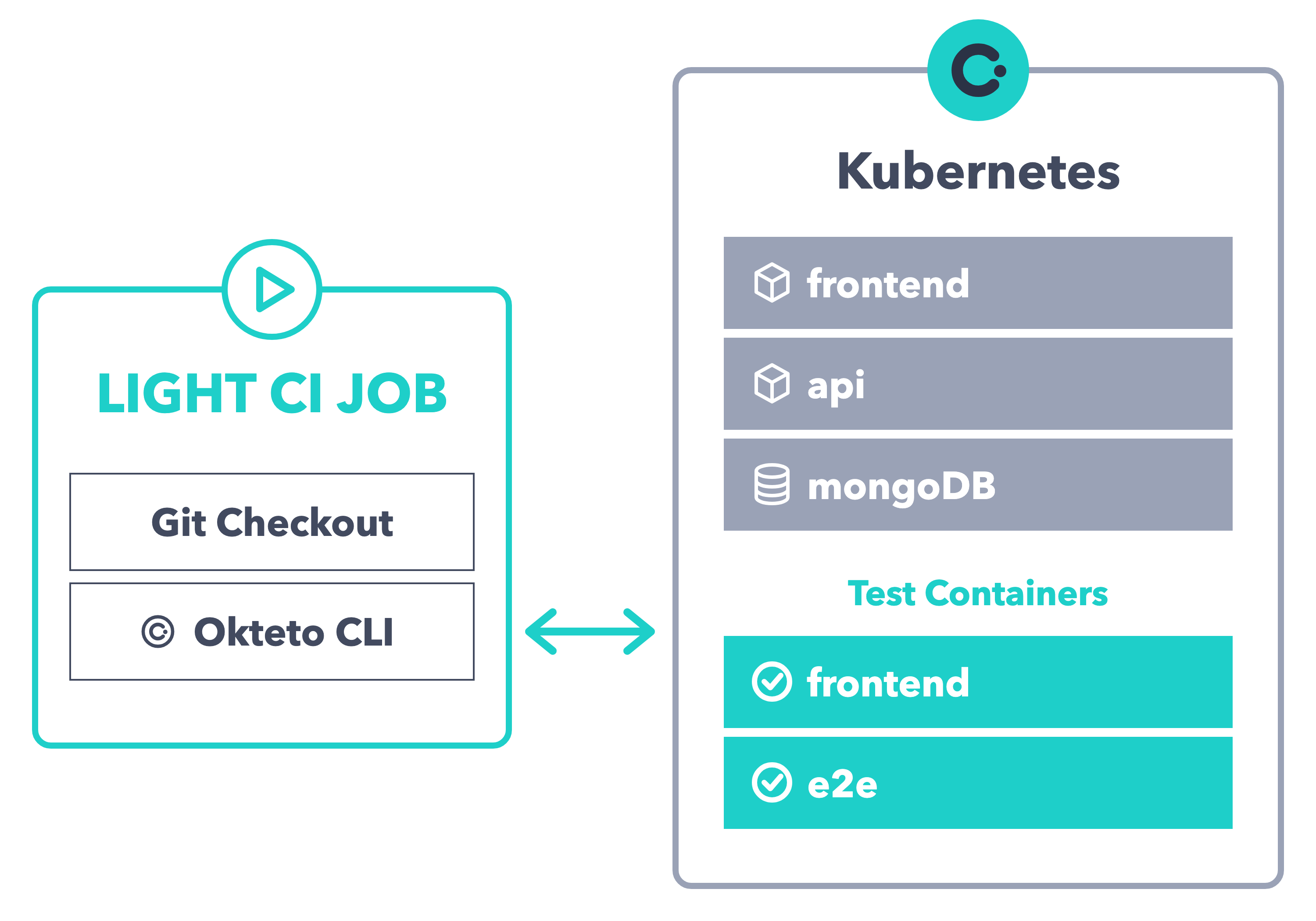
- CI jobs start faster and consume fewer resources, because they don't run Docker or your application.
- Smart Builds reuse your images across pipelines and developers, so Okteto skips the builds of images that didn't change.
okteto testdoesn't rerun tests if the code they depend on didn't change, which also cuts the number of cycles your CI runs.- The load on your CI system drops, because builds, deployments, and tests run in your cluster.
Next Steps
Set up Preview Environments for your repository and run your tests on every change:
- GitHub Actions: deploy a Preview Environment and run your tests on every pull request
- GitLab CI/CD: deploy a Preview Environment and run your tests on every merge request