Deploy your application
The deploy section of the Okteto Manifest lists the commands that deploy your application. okteto deploy runs them in your Okteto Namespace.
This page uses the Movies app. Run the commands from the root of your local copy, as described in the requirements of the series.
The deploy Section
The deploy section of the Movies app runs one command:
deploy:
  image: alpine/helm:4.3.2
  commands:
    - name: Helm Install
      command: |
        helm upgrade --install movies chart \
          --set api.image=${OKTETO_BUILD_API_IMAGE} \
          --set frontend.image=${OKTETO_BUILD_FRONTEND_IMAGE}
These are its fields:
image: the container image that runs the commands.okteto deployruns them with Remote Execution, in a container inside your cluster, so you don't need Helm on your machine. The Helm project doesn't publish an official image, so the Movies app usesalpine/helm, a widely used image with the Helm CLI, pinned to Helm 4.3.2. Any image works, as long as it includes/bin/shand every tool your commands run.commands: the list of commands to run, in order.name: the label of the command in the output ofokteto deployand in the Okteto UI.command: the command to run. Here, it installs the Helm chart in thechartfolder as themoviesrelease, with the images from thebuildsection:OKTETO_BUILD_API_IMAGEandOKTETO_BUILD_FRONTEND_IMAGEhold their references, as described in Build.
The Movies app uses Helm, but you can deploy with Docker Compose or with any other tool: set image to an image that includes it. How do I deploy with Docker Compose or tools other than Helm? in the Okteto Community forum has examples.
The Helm Chart
The templates of the Helm chart deploy the whole application in your Namespace:
frontendandapi: a Deployment and a Service for each service.mongodb: a Deployment with the officialmongoimage, its Service, a PersistentVolumeClaim for the data, and a ConfigMap with an init script that creates theoktetouser. A readiness probe marks MongoDB as ready when it accepts connections.seed: a Job that loads the movies into MongoDB. It's a Helm hook, so Helm runs it after every install or upgrade and waits for it to complete.movies: the Ingress that exposes thefrontendandapiservices, described in Endpoints.
The api service and the seed job connect to MongoDB through its Service, at the hostname mongodb.
Deploying the Application
Deploy the Movies app:
okteto deploy --wait
 i  Using cindy @ okteto.example.com as context
 i  Okteto Smart Builds is skipping build of "frontend-dev" because it's already built from cache.
 i  Okteto Smart Builds is skipping build of "api-dev" because it's already built from cache.
 i  Okteto Smart Builds is skipping build of "frontend" because it's already built from cache.
 i  Okteto Smart Builds is skipping build of "api" because it's already built from cache.
 i  Running stage 'Helm Install'
Executing command 'Helm Install'...
Release "movies" does not exist. Installing it now.
NAME: movies
LAST DEPLOYED: Thu Nov 19 11:19:37 2026
NAMESPACE: cindy
STATUS: deployed
REVISION: 1
DESCRIPTION: Install complete
TEST SUITE: None
NOTES:
Success! Your application will be available shortly.
Command 'Helm Install' successfully executed
 i  Endpoints available:
  - https://movies-cindy.okteto.example.com
  - https://movies-cindy.okteto.example.com/api
 ✓  Development environment 'getting-started' successfully deployed
The --wait flag makes okteto deploy wait until the pods of the application are healthy. Okteto names the deployment getting-started, after the repository, and shows it in the Okteto UI with all its resources.
Endpoints
Okteto creates an HTTPS endpoint for every Ingress in your Namespace. The Movies app defines one Ingress, movies, in chart/templates/ingress.yaml:
apiVersion: networking.k8s.io/v1
kind: Ingress
metadata:
  name: movies
  annotations:
    dev.okteto.com/generate-host: "true"
spec:
  rules:
    - http:
        paths:
          - path: /
            pathType: Prefix
            backend:
              service:
                name: frontend
                port:
                  number: 80
          - path: /api
            pathType: Prefix
            backend:
              service:
                name: api
                port:
                  number: 8080
The dev.okteto.com/generate-host: "true" annotation tells Okteto to generate the host of the Ingress under the Okteto Subdomain, as <ingress-name>-<namespace>.<okteto-subdomain>. For the movies Ingress in the cindy Namespace of an instance whose subdomain is okteto.example.com, that's movies-cindy.okteto.example.com. Requests to / go to the frontend service, and requests to /api go to the api service.
If you deploy with Docker Compose, define your endpoints in the endpoints section of your Docker Compose file instead.
okteto deploy prints the endpoints when it finishes. To list them at any time, run:
okteto endpoints
 i  Using cindy @ okteto.example.com as context
 i  Endpoints available:
  - https://movies-cindy.okteto.example.com
  - https://movies-cindy.okteto.example.com/api
The Okteto UI shows the same endpoints, next to the resources of your deployment:

Open your endpoint in a browser (https://movies-cindy.okteto.example.com, with your own Namespace and Okteto Subdomain) to see the Movies app:
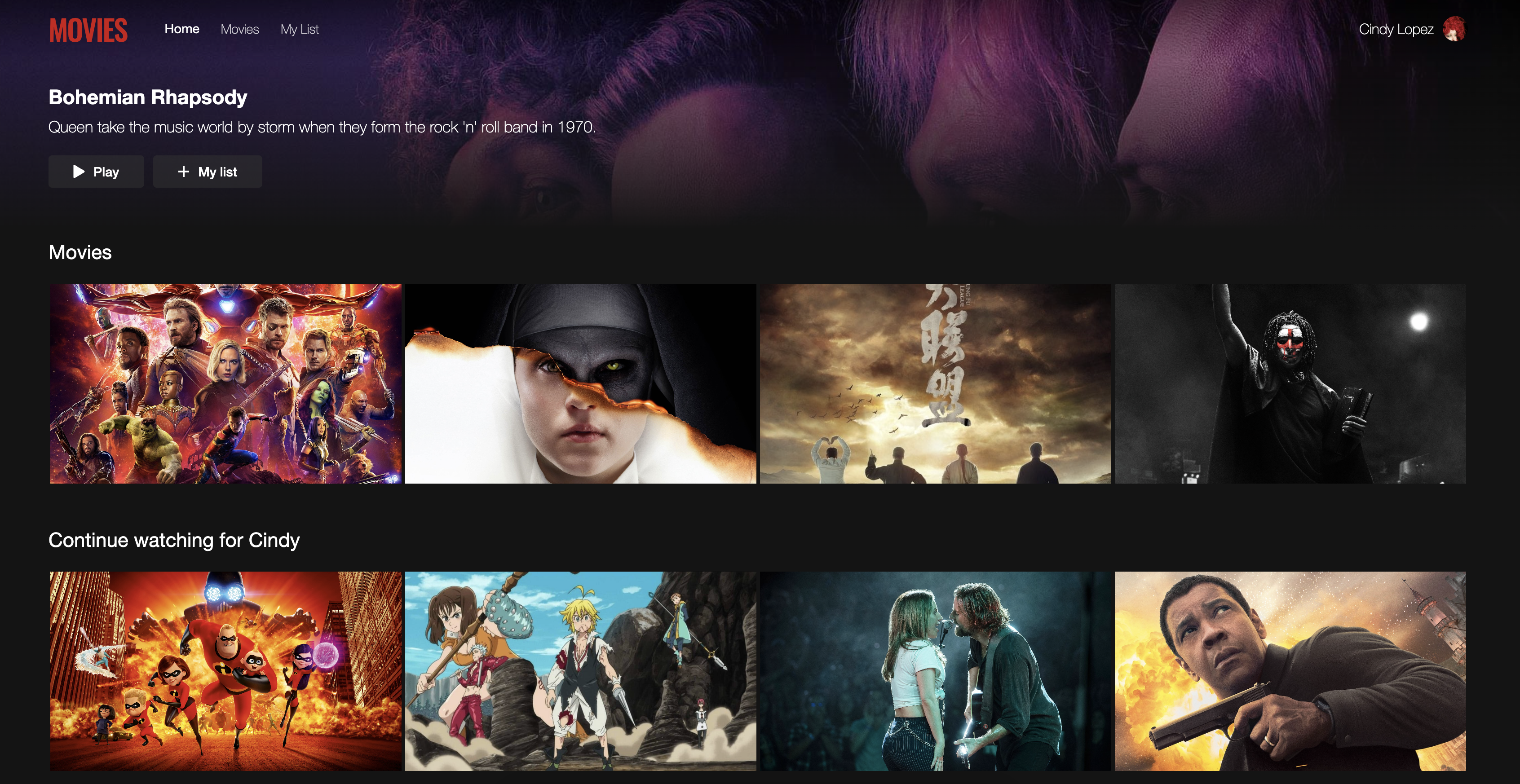
The Movies app now runs in your Namespace, on its public HTTPS endpoints. In the next step, inspect the Movies app at the Kubernetes level with kubectl.